

How Pressure Data Logger Supports Pharmaceutical Sterilization Validation?
In pharmaceutical and medical device manufacturing, temperature is a key parameter in thermal process validation. However, for processes such as steam sterilization and autoclave cycles, pressure changes are also part of the process conditions. Recording pressure over time gives pharmaceutical sterilization validation teams another set of data to review alongside temperature. It can help document how the process developed during the cycle and provide additional information when reviewing process deviations or comparing validation runs. This is where a temperature and pressure data logger can be useful.
Why Pressure Data Matters in Pharmaceutical Sterilization Validation
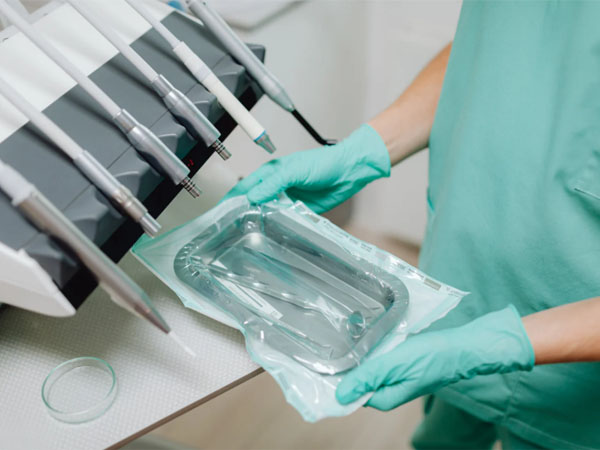
Pressure is not simply a value to record at the end of a sterilization cycle. The pressure profile can show how process conditions changed over time. For example, a validation team may review when pressure began to rise, how it changed during the cycle, whether it remained stable during a defined holding stage, or whether an unexpected pressure drop occurred. When pressure data is recorded together with temperature, these changes can be reviewed on the same timeline. This gives the validation team more process information than either parameter would provide on its own. The actual pressure profile will depend on the equipment and validated process. Pressure data should therefore be evaluated against the process protocol and established acceptance criteria rather than against a universal pressure curve.
Where Pressure Monitoring Can Be Used?
Pressure data logging can be useful in thermal processes where pressure is a relevant process parameter.
Steam Sterilization
Steam sterilization involves controlled temperature and pressure conditions. Recording the pressure profile during the cycle provides a time-based record that can be reviewed together with temperature data.
Autoclave Validation
During autoclave validation, temperature and pressure data can be used to document process conditions across validation runs and monitoring locations. The combined data can also provide additional context when investigating an unexpected temperature result.
Medical Device Sterilization
For medical device sterilization processes, a standalone pressure data logger can be placed at the monitoring point to record process conditions without requiring a permanent connection to the equipment control system.
Record Temperature and Pressure with One Data Logger
Temperature and pressure describe different aspects of a process. Temperature shows how the thermal condition changes, while pressure provides additional information about the process environment. Using one device to record both parameters also keeps the measurements on the same time sequence, making the data easier to review as part of a single process record.
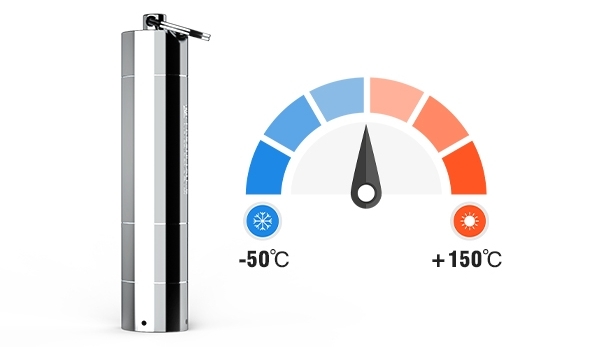
The Freshliance Iron Tag 300 is designed for demanding temperature and pressure monitoring applications.
It measures:
1. Temperature: -50°C to +150°C
2. Pressure: 0 to 3.5 MPa
3. Temperature accuracy: ±0.3°C from -40°C to +100°C
4. Pressure accuracy: ±0.25% F.S.
The logger uses a 316 stainless steel housing and has an IP68 rating, making it suitable for monitoring in demanding process environments. It also supports configurable logging intervals from 1 minute to 24 hours and up to six alarm points. For sterilization validation and other thermal process studies, the Iron Tag 300 temperature and pressure data logger allows temperature and pressure to be captured in the same monitoring device rather than maintained as separate records.
How Iron Tag 300 Temperature and Pressure Data Logger Fits into a Validation Workflow?
The monitoring process is straightforward.
1. Configure
Set the logging interval, start mode, and alarm thresholds according to the validation protocol.
2. Monitor
Place the Iron Tag 300 pressure data logger at the specified monitoring point and run the process. The device records temperature and pressure according to the configured interval.
3. Review
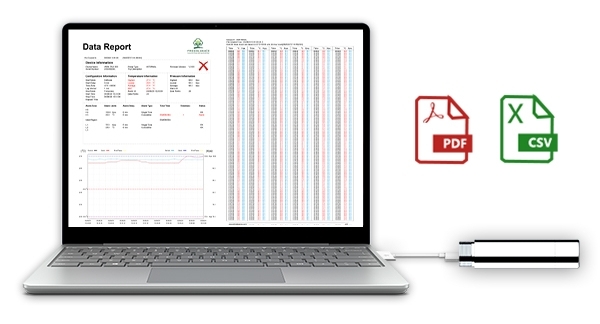
After the cycle, connect the logger to a PC through USB-C to retrieve the recorded data. Freshliance software supports data review and export in PDF and CSV formats, allowing the temperature and pressure profiles to be reviewed and included in the relevant validation documentation. The recorded data can be used to examine pressure changes throughout the cycle, compare temperature and pressure trends, and investigate conditions that require further review.
Conclusion
For pharmaceutical sterilization, autoclave validation, medical device sterilization, and other thermal processes where pressure is a relevant parameter, temperature data alone may not provide the complete process record. Recording temperature and pressure together allows validation teams to review both parameters on the same timeline and better understand how process conditions changed during a cycle. For teams looking to strengthen temperature and pressure data logging within their validation workflow, Iron Tag 300 temperature and pressure data logger offers a compact, standalone monitoring solution for process documentation and review.